
TL;DR:
- A disciplined six-stage freelance packaging process ensures error-free files and protects profit margins.
- Reliable review workflows and strict file standards prevent costly mistakes and stream delays.
- Prioritizing review management and complete handoff practices builds trust and sustains a professional reputation.
The freelance packaging process is a structured sequence of six stages that takes a design from initial brief to print-ready production files, and mastering it is what separates designers who get repeat clients from those who get revision nightmares. Tools like Adobe Illustrator, Ziflow, and the PDF/X-4 file standard are not optional extras. They are the technical backbone of every professional packaging project. Whether you are working on a startup's first product or a CPG brand's seasonal refresh, the same disciplined workflow applies. Get it right, and you deliver files that go straight to press. Get it wrong, and you absorb the cost.
What are the core stages of the freelance packaging process?
The packaging design workflow is organized into six stages, from discovery to production handoff, with most delays occurring during review and refinement. Understanding each stage as a distinct gate, not a loose phase, is what keeps projects on schedule.
Stage 1: Discovery and brief development. You gather product dimensions, material specs, retailer requirements, and brand guidelines before touching a design tool. A weak brief is the single most common cause of rework later. Ask for the dieline template, the print vendor's spec sheet, and any compliance requirements upfront.
Stage 2: Concept exploration. You generate two to four distinct visual directions and present them as low-fidelity mockups. The goal is alignment on direction, not polish. Presenting too many options at this stage wastes time and creates decision fatigue for the client.
Stage 3: Design development and artwork refinement. You build the chosen concept to full production quality in Adobe Illustrator, applying correct CMYK color values, embedding fonts, and placing artwork within the approved dieline. This is where technical precision matters most.
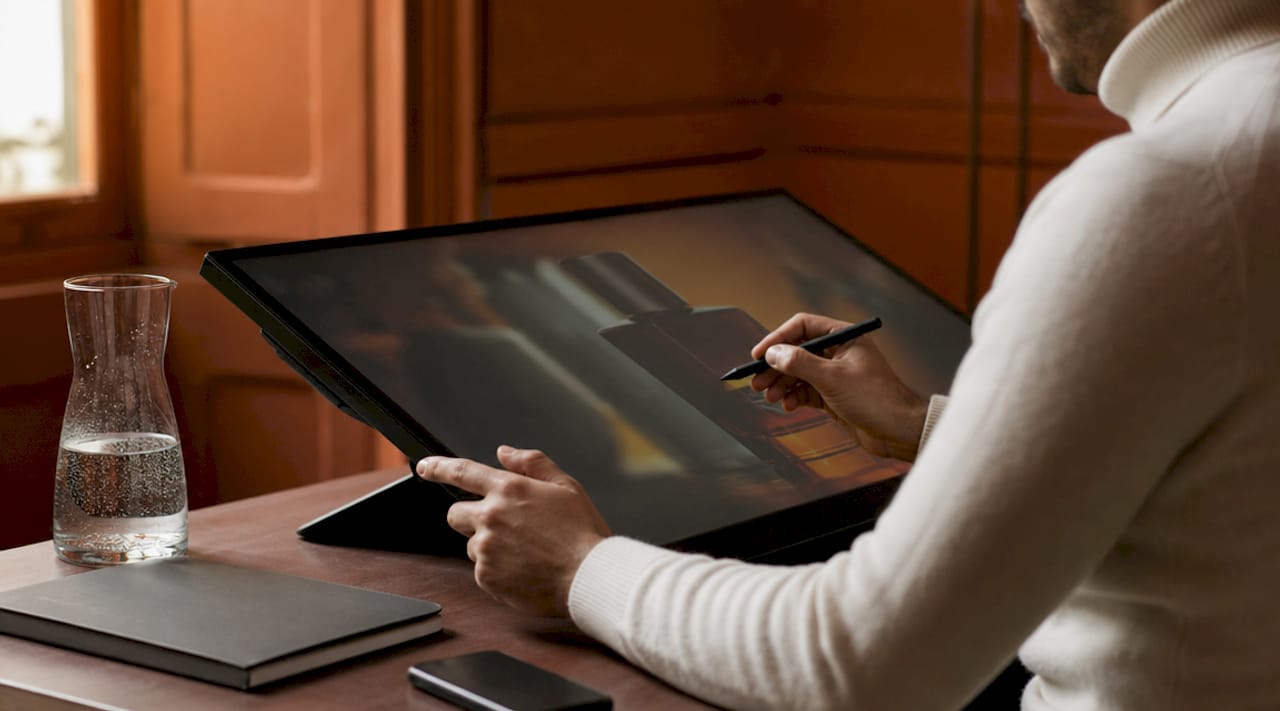
Stage 4: Review and refinement. Stakeholders from marketing, compliance, and prepress each review the artwork. Packaging success depends more on structured review and stakeholder alignment than on initial creative quality. Treat this stage as a formal gate, not an open-ended feedback loop.
Stage 5: Pre-production preparation. You finalize bleed settings, safe zones, color profiles, and run a full preflight check. This stage catches the errors that cause expensive press mistakes.

Stage 6: Production handoff. You deliver a complete package of print-ready files, source documents, dielines, and 3D mockups to the manufacturer. A clean handoff prevents delays and miscommunication on the production floor.
Pro Tip: Build a stage gate checklist for each phase and require written client sign-off before advancing. This single habit eliminates the majority of scope creep and revision disputes.
What tools and technical requirements do packaging freelancers need?
Technical fluency is not a bonus skill for a packaging design freelancer. It is the price of entry. Clients pay for files that work, not just designs that look good on screen.
The dieline is the structural foundation of every packaging project. Standard bleed is 3 mm on all sides, with critical logos and text kept inside the safe zone to account for a cutting tolerance of 1 to 2 mm. Never reuse a dieline from a previous SKU without verifying dimensions. Dielines must be version-controlled like software source code, because a silent structural change in a fold or cut line can cause production failures that are invisible on screen.
Here are the non-negotiable technical requirements for every print-ready packaging file:
- Resolution: All raster images at or above 300 DPI for color artwork
- Color mode: CMYK with embedded ICC profiles; never submit RGB files to a print vendor
- Spot colors: Use Pantone references where brand colors require exact matching
- Font handling: All fonts embedded or converted to outlines before export
- File format: PDF/X-4 standard for print-ready delivery, with a clean preflight report attached
- Bleed and safe zones: 3 mm bleed on all sides, critical content 3 to 5 mm inside the cut line
The table below shows where RGB and CMYK each belong in a packaging project.
| Use case | Correct color mode |
|---|---|
| Screen mockups and client presentations | RGB |
| Print-ready production files | CMYK with ICC profile |
| Brand-critical colors (logos, brand marks) | Pantone spot color |
| Digital proofing previews | sRGB |
For proofing and approval workflows, Ziflow is the industry-standard tool for consolidating stakeholder feedback and comparing versions side by side. Adobe Acrobat's preflight tools and dedicated preflight apps like PDF Press handle the technical compliance checks before any file goes to a vendor.
Pro Tip: Run a preflight check in Adobe Acrobat or a dedicated tool before every client delivery. Font substitutions, transparency issues, and wrong bleed settings are the three most common causes of costly press errors, and all three are invisible without a preflight report.
How do you avoid bottlenecks in packaging review and approval?
Review and approval is where most freelance packaging projects stall. The problem is rarely the design. It is the process around the design.
Email-based feedback workflows average 8.4 revision rounds and 32 days to approval. Structured proofing software cuts that to 4.1 rounds and 18 days. That difference is not marginal. It is the gap between a profitable project and one that erodes your hourly rate to nothing.
The core fix is centralization. When all feedback lives in one place, tied to a specific version of the artwork, confusion disappears. Ziflow and similar platforms let reviewers annotate directly on the file, so "move the logo up" becomes a pinned comment on the exact element, not a vague email thread. This also creates an audit trail, which protects you if a client later disputes what was approved.
Beyond the tool, the structure of your review workflow matters:
- Define who reviews at each stage. Marketing, compliance, and prepress should not all review simultaneously unless you have a parallel workflow set up deliberately.
- Set a revision limit per round in your contract. Two rounds of revisions per stage is a standard professional boundary.
- Use stage gates. Require written sign-off on the concept before moving to full artwork development. Require sign-off on final artwork before moving to pre-production.
- Lock approved elements. Once a logo placement or legal copy block is signed off, mark it locked in your working file so it does not drift in subsequent rounds.
Managing client expectations is part of the job. Clients who have never worked with a packaging designer often do not understand why a "small change" to a structural element requires a new dieline review. Explain the production implications in plain language, and you build trust rather than friction.
What does a strong production handoff look like?
The production handoff is the final test of your process. A complete handoff package tells the manufacturer everything they need to produce the job without calling you for clarification.
Standard deliverables from a packaging design freelancer include print-ready PDFs, source files in AI, PSD, or INDD format, the dieline file, and 3D mockups for manufacturer reference. Skipping any of these creates gaps that slow production and expose you to liability if something prints incorrectly.
Pre-production samples are the last checkpoint before mass production and are typically produced within one to three business days after brief confirmation. Approving a sample is not optional. It is the moment where color accuracy, structural integrity, and finish quality are verified against the actual substrate and print process.
After your files are approved, the manufacturer's production sequence follows a fixed path: paper ordering, prepress setup, printing, finishing, die-cutting, folding and gluing, quality control, packing, and palletizing. Understanding this sequence helps you anticipate where your file specifications affect each step. A wrong color profile does not just affect the print stage. It can cascade through finishing and QC.
| Deliverable | Purpose |
|---|---|
| Print-ready PDF (PDF/X-4) | Direct input for prepress and press setup |
| Source files (AI/PSD/INDD) | Allows future edits without rebuilding from scratch |
| Dieline file | Structural guide for die-cutting and folding |
| 3D mockup | Visual reference for manufacturer and client sign-off |
| Preflight report | Confirms file compliance before press |
For print-ready file preparation, document your color choices, finish specifications, and any special instructions in a handoff brief that accompanies the files. A one-page spec sheet prevents the most common production miscommunications.
Key takeaways
A disciplined freelance packaging process, built around six clear stages, technical file standards, and centralized review workflows, is the single most reliable way to deliver error-free packaging and protect your margins.
| Point | Details |
|---|---|
| Six-stage workflow | Structure every project from discovery through production handoff to prevent scope creep. |
| Technical file standards | Submit CMYK files at 300 DPI with 3 mm bleed, embedded fonts, and PDF/X-4 compliance. |
| Centralized proofing | Structured review tools cut approval time from 32 days to 18 days on average. |
| Complete handoff package | Deliver print-ready PDFs, source files, dielines, mockups, and a preflight report together. |
| Stage gate sign-offs | Require written client approval at each stage to eliminate revision disputes. |
Why I think most freelancers underestimate the back half of the process
Most packaging designers I have worked alongside obsess over the concept phase. They spend hours refining typography and color palettes, then rush through pre-production and handoff because the creative work feels done. That is exactly backwards.
The back half of the freelance packaging process, from review management through production handoff, is where your professional reputation is actually built. A client does not remember the elegant concept you presented in week two. They remember whether the final product on the shelf matched what they approved, and whether the project landed on time.
Version confusion is the most underrated risk in packaging work. I have seen projects where three versions of a dieline were circulating simultaneously, with no one certain which was current. The result was a die-cut error that required a full reprint. That kind of mistake is not a creative failure. It is a process failure, and it is entirely preventable with basic version control discipline.
Early alignment on materials and dielines is worth more than any amount of creative polish. If you do not know the substrate, the finish, and the structural constraints before you start designing, you are building on sand. Get the manufacturer's spec sheet in stage one, not stage five.
The designers who build sustainable freelance practices are the ones who treat the packaging design workflow as a professional system, not a loose creative process. Clients pay more, refer more, and complain less when you can demonstrate that your process protects their investment.
— Myles
How Offcut supports your packaging workflow
Offcut exists precisely for the gap between a great design and a usable file. If you are a packaging design freelancer who wants to turn finished concepts into revenue without the overhead of agency infrastructure, Offcut connects your print-ready work directly with founders who need it.
Offcut's resource library covers file preparation guides, dieline templates, and workflow checklists built specifically for independent designers working on CPG and product packaging. Whether you are preparing your first production handoff or refining a process you have used for years, the platform gives you the technical scaffolding to deliver with confidence. Founders get print-ready concepts at a fraction of agency cost. You get paid for work that would otherwise sit on a hard drive. Visit Offcut to see how it works.
FAQ
What are the six stages of the freelance packaging process?
The six stages are discovery and brief development, concept exploration, design development, review and refinement, pre-production preparation, and production handoff. Each stage functions as a formal gate requiring sign-off before the project advances.
What file format should freelancers use for packaging handoff?
Print-ready packaging files should be exported as PDF/X-4 with CMYK color mode, embedded ICC profiles, 300 DPI resolution, 3 mm bleed, and embedded fonts. A clean preflight report should accompany every submission.
How many revision rounds should a freelance packaging project include?
Two rounds of revisions per stage is the professional standard. Structured proofing tools reduce average revision rounds from 8.4 to 4.1 compared to email-based workflows, making the limit easier to enforce.
Why are pre-production samples important?
Pre-production samples are the final checkpoint before mass production, typically delivered within one to three business days. They verify color accuracy, structural integrity, and finish quality against the actual substrate before the full print run begins.
What deliverables should a freelancer include in a production handoff?
A complete handoff package includes a print-ready PDF, source files in AI, PSD, or INDD format, the dieline file, 3D mockups, and a preflight compliance report. Omitting any of these creates gaps that slow production and increase the risk of print errors.