
TL;DR:
- Optimizing packaging workflows saves brands 30% time and $8,000 per project.
- Using AI design platforms and asset management systems ensures print-ready files and reduces rework.
- Building a repeatable system with clear metrics enables scalable, cost-effective packaging innovation.
Packaging design cycles eat time and budget that early-stage CPG brands simply cannot afford to waste. You brief an agency, wait weeks for concepts, pay five figures, and still end up with files that need rework before they can go to print. There is a better path. CPG brands have cut time by 30% and saved $8k per project by optimizing their packaging workflow. This guide walks you through exactly what tools you need, how to build a repeatable process, and how to measure results so you can access exclusive, print-ready concepts faster and at a fraction of the traditional cost.
Table of Contents
- What you need for an efficient designer packaging portfolio workflow
- Step-by-step workflow for creating and managing packaging portfolios
- Troubleshooting common workflow mistakes and maximizing efficiency
- Evaluating results and scaling portfolio access for ongoing innovation
- Why most founders underestimate portfolio workflow gains
- Upgrade your packaging portfolio with Offcut
- Frequently asked questions
Key Takeaways
| Point | Details |
|---|---|
| AI solutions boost efficiency | Using AI platforms like Packify reduces project time and cost, leading to faster and more reliable packaging workflows. |
| Portfolio management unlocks access | AMS and designer platforms enable exclusive, print-ready concept access and 100% compliance for brand owners. |
| Avoid common workflow errors | Integrating review cycles and versioning checklists prevents bottlenecks and maximizes productivity. |
| Track benchmarks to scale | Measuring time saved, sales uplift, and compliance helps brands expand portfolio access and continuously innovate. |
What you need for an efficient designer packaging portfolio workflow
Before you can streamline anything, you need the right foundation. Think of it like a kitchen before a big cook: if the tools are missing or mismatched, the meal takes twice as long and costs twice as much. The same logic applies to your packaging workflow.
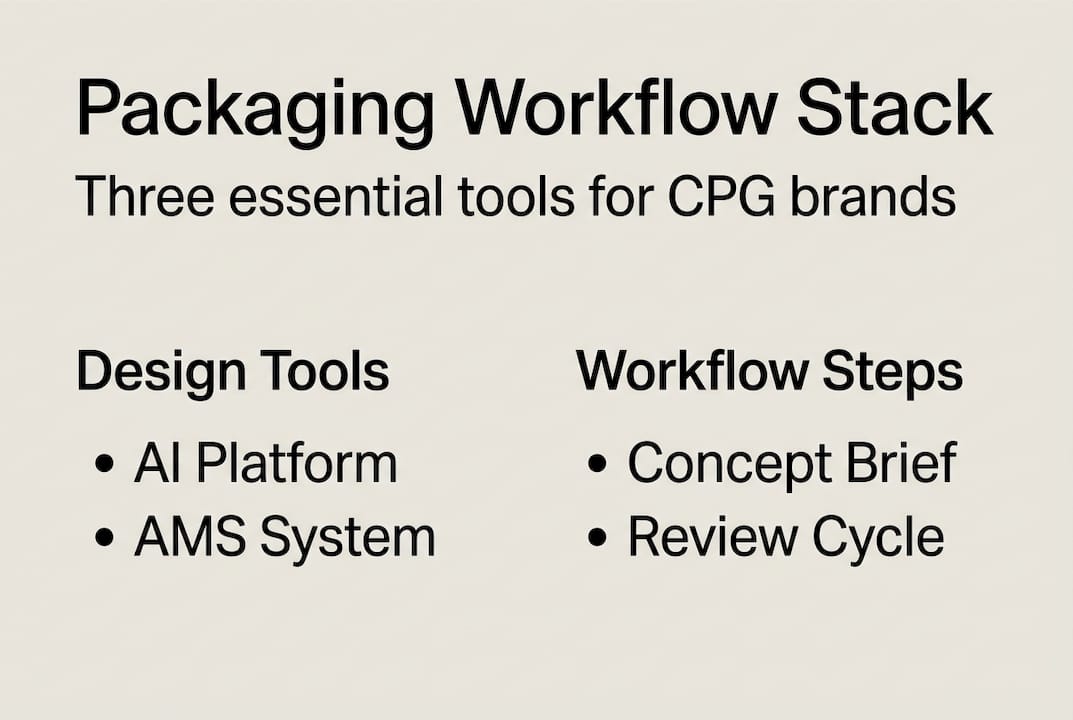
The core stack most founders need includes three layers. First, an AI-assisted design platform. Tools like Packify and DesignLumo are built specifically for packaging, and AI platforms like these enable print-ready files while boosting overall workflow efficiency. Second, a portfolio management system, often called an AMS (asset management system). This is where your approved files live, version history is tracked, and compliance requirements are met. Third, a short-run digital printing partner that accepts MOQs (minimum order quantities) as low as 100 units, so you can prototype concepts without committing to a full production run.
When you look at packaging design workflow strategies that actually scale, the difference almost always comes down to whether the tools output print-ready files from the start. If you are exporting concepts that still need a prepress technician to fix bleed, color profiles, or dieline specs, you are paying a hidden tax on every single project.
Here is a quick comparison of the main platform types:
| Platform type | Primary function | Key benefit | Best for |
|---|---|---|---|
| AI design tool (Packify, DesignLumo) | Concept generation and file output | Print-ready files, speed | Early-stage concept work |
| AMS (asset management system) | File storage, version control, compliance | Audit trail, team access | Ongoing portfolio management |
| Short-run print partner | Physical prototyping | Low MOQ (100 units), fast turnaround | Validation before full run |
Key requirements to have in place before you start:
- Print-ready file specs defined upfront (bleed, resolution, color mode)
- Naming conventions agreed on by everyone who touches the files
- Access permissions set so the right people can approve without bottlenecks
- Integration between your design tool and AMS so files move automatically
For portfolio management for designers and brand owners alike, the goal is zero manual file transfer. Every handoff that requires a human to move a file is a point where errors and delays creep in.
Pro Tip: When evaluating any design platform, ask one question before anything else: does it export a press-ready PDF with embedded color profiles and correct bleed? If the answer is not an immediate yes, move on.
Step-by-step workflow for creating and managing packaging portfolios
With your tools in place, the workflow itself becomes straightforward. The mistake most founders make is treating packaging design as a one-off project rather than a repeatable system. Here is how to build that system.
Step 1: Define your portfolio goals. Before a single concept is created, write down what exclusive access means for your brand. How many SKUs do you need covered? What print formats? What is your budget ceiling per concept? Clarity here prevents scope creep later.
Step 2: Brief and develop concepts on designer platforms. Use your AI platform to generate initial directions. The role of designer concept creation at this stage is to produce a range of options quickly, not to perfect one idea. Aim for volume first, then filter.
Step 3: Use AI filtering to shortlist print-ready options. Most AI platforms include scoring or filtering tools. Use them to eliminate concepts that do not meet your technical specs before human review even begins. This alone cuts review time significantly.
Step 4: Load approved files into your AMS. Every approved concept goes into the AMS with proper metadata: SKU, format, version number, approval date, and compliance status. This is your single source of truth.
Step 5: Schedule structured review cycles. Ad hoc reviews kill momentum. Set a fixed cadence, weekly or biweekly, and batch your approvals. This mirrors how step-by-step packaging design processes work in high-output studios.
Timeline benchmarks to plan against:
| Project complexity | Typical timeline | Workflow-optimized timeline |
|---|---|---|
| Simple label redesign | 4 to 8 weeks | 2 to 3 weeks |
| Multi-SKU range update | 2 to 4 months | 4 to 6 weeks |
| Full brand packaging overhaul | 4 to 6 months | 8 to 10 weeks |
The packaging optimization case study data above is not aspirational. It reflects what brands achieve when they stop treating each project as unique and start running a repeatable system.
Pro Tip: Build a review checklist with no more than seven criteria. Anything longer becomes a bottleneck. Cover print readiness, brand compliance, legal copy, and structural integrity. That is it.
Troubleshooting common workflow mistakes and maximizing efficiency
Even well-intentioned workflows break down. Here are the failure points that show up most often, and how to fix them before they cost you a launch deadline.

Poor version control is the most common culprit. When multiple people save files locally and email versions back and forth, you end up approving the wrong file. The fix is simple: nothing lives outside the AMS. No exceptions.
Unclear objectives at the brief stage create rework downstream. If the brief does not specify the exact print format, substrate, and finish, the designer fills in those gaps with assumptions. Those assumptions cost you revision rounds.
Failing to leverage AI for initial filtering means your team spends hours reviewing concepts that never had a chance of being print-ready. Let the platform do the first pass.
Efficiency boosters that make a measurable difference:
- Use templates for recurring SKU formats so designers start from a compliant base
- Batch prototyping by grouping similar concepts into one short-run print order
- Clear file naming that includes SKU, version, and date at minimum
- Automated compliance checks built into your AMS before files reach human review
- Centralized feedback tools so comments live on the file, not in a separate email chain
The payoff for getting this right is significant. Brands that optimized their workflows saw 50% faster project completions and a 12% sales lift after updating their packaging. That is not a marginal gain. That is a competitive advantage.
"Workflow error rates drop sharply when AMS compliance is built into the process rather than bolted on at the end. The brands that treat compliance as a checkpoint rather than a gate move significantly faster."
Knowing how to update packaging for brand impact is only half the equation. The other half is having a system that lets you act on that knowledge without a three-month delay. Staying current with trend-driven packaging design also becomes far easier when your workflow can absorb new concepts quickly.
Pro Tip: Assign one person as the workflow owner. Not a committee. One person who is accountable for keeping the AMS clean, the review cycles on schedule, and the naming conventions enforced.
Evaluating results and scaling portfolio access for ongoing innovation
Once your workflow is running, the next question is: how do you know it is working? And once it is working, how do you scale it?
Start with four core metrics. Track them monthly and compare against your pre-optimization baseline.
| Metric | What it measures | Target improvement |
|---|---|---|
| Time per project | Workflow speed | 30 to 50% reduction |
| Cost per concept | Budget efficiency | 20 to 40% reduction |
| Compliance rate | File quality on first submission | 90%+ |
| Sales lift post-launch | Commercial impact | 10 to 15% minimum |
The data on what is achievable is compelling. FMCG brands using AI platforms have seen 80%+ sales uplift alongside 100% workflow compliance. Those numbers reflect what happens when the system is fully optimized, not just partially implemented.
Scaling access to exclusive concepts involves two moves. First, tap unused designer portfolios. Platforms like Offcut give you access to concepts that were created professionally but never used, which means you get print-ready work at a fraction of the cost of commissioning new designs. Second, expand your short-run printing cadence. Instead of one prototype run per quarter, run smaller batches more frequently to test concepts in market faster.
Metrics to track as you scale:
- Time savings per project cycle
- Cost reduction versus agency benchmarks
- Sales lift per packaging update
- Compliance rate on first file submission
- Number of concepts accessed per quarter
For sustainable design for CPG brands, scaling your workflow also means building in checkpoints for material and print sustainability standards. Buyers and retailers increasingly require this documentation, and having it embedded in your AMS means you are never caught unprepared. Strong portfolio tips for CPG brands consistently emphasize that a well-documented, scalable workflow is itself a competitive asset when pitching to retail buyers.
Why most founders underestimate portfolio workflow gains
Here is the honest take: most founders resist automating their packaging portfolio workflow because they equate manual review with creative control. It feels like if you automate the filtering, you might miss the best concept. That instinct is understandable, but the evidence does not support it.
The reality is that time and cost savings are frequently underestimated by brands that have not yet tried portfolio automation. Manual review does not make you more discerning. It makes you slower and more prone to decision fatigue, which actually reduces the quality of creative choices over time.
The brands that move fastest are not the ones with the biggest design budgets. They are the ones with the tightest workflow strategies for CPG that let them evaluate more concepts in less time. Automation handles the compliance and technical filtering. Your judgment handles the brand and market fit decisions. That is the right division of labor.
The uncomfortable truth is that the founders who insist on reviewing every file manually are often the same ones who miss launch windows, overpay for revisions, and end up with packaging that is technically correct but creatively compromised by exhaustion. Build the system. Trust the system. Spend your creative energy where it actually matters.
Upgrade your packaging portfolio with Offcut
If this guide has shown you one thing, it is that the gap between a slow, expensive packaging process and a fast, cost-effective one is almost entirely a workflow problem. The concepts exist. The designers have already done the work.
Offcut is where those concepts live instead of collecting dust on a hard drive. You get access to exclusive designer packaging concepts that are already print-ready, already professionally crafted, and available at a fraction of what you would pay an agency to start from scratch. Browse the full range of portfolio workflow solutions and find the concepts that fit your brand today. No briefs, no waiting, no rework.
Frequently asked questions
What is a designer packaging portfolio workflow?
It is a structured process brands and founders use to create, manage, and access exclusive, print-ready packaging concepts more efficiently and at reduced costs. Workflow enhancements consistently cut both project time and overall spend.
How do AI platforms improve packaging workflows?
AI platforms automate file selection, ensure print readiness, and save up to 30% in time and $8k per project compared to manual methods.
What tools should CPG founders use for portfolio management?
AMS platforms, Packify, and DesignLumo are the core stack. Together they provide 100% workflow compliance and efficient print-ready file access for CPG teams.
How can I scale my access to exclusive packaging concepts?
By tapping unused designer portfolios, using short-run printing at low MOQs, and leveraging workflow automation, brands can rapidly expand concept access. Brands using this approach have seen measurable sales uplift alongside faster turnaround times.