
Vector graphics transform packaging design workflows in ways that directly impact your bottom line and brand perception. While many designers default to raster images for packaging projects, vector files achieve 96% first-time print approval compared to just 42-68% for raster formats. This difference translates to fewer production delays, lower costs, and sharper brand presentation across every package size. Understanding when and how to leverage vector graphics separates amateur packaging from professional CPG design that scales seamlessly from small sachets to large retail boxes.
Table of Contents
- Understanding Vector Graphics And Their Mechanics
- Why Vectors Are Essential For CPG Packaging Design
- Comparing Vector And Raster Graphics For Packaging: When To Use Each
- Maximizing Brand Impact And Print Success With Vector Graphics
- Discover Expert Vector-Friendly Packaging Design Solutions
- Frequently Asked Questions About Using Vector Graphics In Packaging
Key takeaways
| Point | Details |
|---|---|
| Infinite scalability | Vector graphics scale to any size without quality loss, essential for varied packaging formats |
| Higher print approval | Vector files achieve 96% first-time approval versus 42-68% for raster, reducing costly revisions |
| Smaller file sizes | Mathematical paths create lighter files that are easier to edit and share across teams |
| Brand consistency | Vectors ensure logos and text remain crisp across all SKUs and packaging variants |
| Hybrid workflows | Combining vectors for line art with high-res raster for photos delivers optimal results |
Understanding vector graphics and their mechanics
Vector graphics are mathematically defined by paths, lines, and shapes rather than individual pixels. This fundamental difference means you can scale a vector logo from a tiny label to a billboard-sized display without any quality degradation. The software recalculates the mathematical equations at each size, rendering perfect edges every time.
Raster images work differently. They capture visual information as a grid of colored pixels. When you enlarge a raster image beyond its original resolution, those pixels become visible as blocky artifacts. For packaging design where the same brand elements must appear across multiple product sizes, this limitation creates serious workflow problems.
Resolution independence gives vectors a crucial advantage in packaging production. Your dieline might need to accommodate a 2-inch sample pouch today and a 12-inch retail box tomorrow. Vector graphics handle both scenarios identically, while raster images would require separate high-resolution files for each size variation.
The mathematical nature of vectors also enables precise color control and clean editing. You can adjust a curve, change a color value, or modify a shape without degrading the underlying artwork. This editability becomes essential when brands evolve their visual identity or adapt packaging for seasonal promotions.
Pro Tip: Always keep dielines on locked vector layers and embed raster images at 300 DPI or higher when needed for photos.
Common vector elements in packaging include:
- Logos and brand marks that must remain sharp at any scale
- Dielines and cut paths that define package structure
- Typography and text elements requiring crisp edges
- Icons and illustrative elements with clean lines
- Barcodes and regulatory symbols needing precision
Understanding these mechanics helps you make informed decisions about which file format serves each packaging design element best. The goal is matching the technical properties of each format to the specific requirements of your packaging project.
Why vectors are essential for CPG packaging design
Vector graphics are essential for logos, icons, illustrations, text, and dielines in CPG packaging because they ensure crisp print across sizes and easy editing. When you manage multiple product lines or SKUs, maintaining consistent branding becomes exponentially harder with raster files. Each package size would require a separate high-resolution raster file, multiplying your file management burden.
Vector files solve this problem elegantly. One master vector file serves all packaging variants, from sample sizes to family packs. You simply scale the artwork to fit each dieline without creating new files or worrying about resolution requirements. This streamlined workflow saves hours of production time and eliminates version control nightmares.
The lightweight nature of vector files accelerates collaboration. A complex packaging design might consume 50-100 MB as a raster file but only 2-5 MB as a vector. Smaller files upload faster, email more easily, and place less strain on design software. Your team can iterate quickly without waiting for large files to transfer or process.
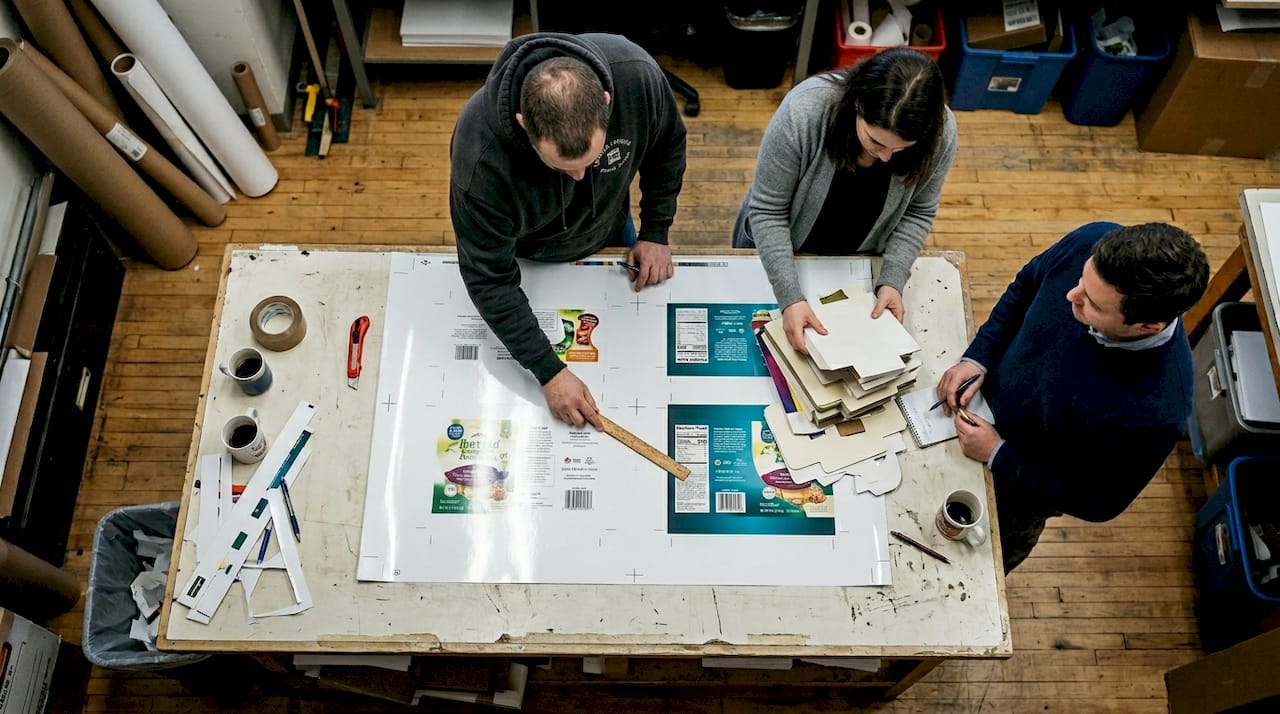
Vectors produce smaller files that are easier to edit, changing colors and shapes cleanly while maintaining brand consistency across packaging variants. When a client requests a color adjustment or wants to test different tagline placements, you can make those changes in minutes rather than hours. The mathematical foundation of vectors means modifications remain crisp and precise.
Pro Tip: Use vector for all line art and text; embed high-res raster only for product photos or texture effects.
Here is how vectors and rasters compare for packaging workflows:
| Attribute | Vector Graphics | Raster Graphics |
|---|---|---|
| File size | 2-5 MB typical | 50-100 MB typical |
| First-time print approval | 96% | 42-68% |
| Editability | Change colors/shapes cleanly | Degrades with edits |
| Scalability | Infinite without quality loss | Limited by resolution |
| Brand consistency | Single file serves all sizes | Separate file per size |
These advantages directly impact your packaging design workflow and production costs. Fewer revisions mean faster time to market. Easier editing enables more design iterations within the same timeline. Consistent branding across all touchpoints strengthens consumer recognition and purchase intent.
The data shows vectors are not just technically superior but commercially smarter for CPG brands managing complex product portfolios. Your packaging design process becomes more efficient, your brand presentation more consistent, and your production costs more predictable.
Comparing vector and raster graphics for packaging: when to use each
Vector graphics offer infinite scalability and clean edits, making them ideal for logos, typography, and dielines. Raster graphics excel at photorealistic elements, complex textures, and subtle gradients. Neither format handles every packaging design challenge perfectly, which is why professional designers use both strategically.
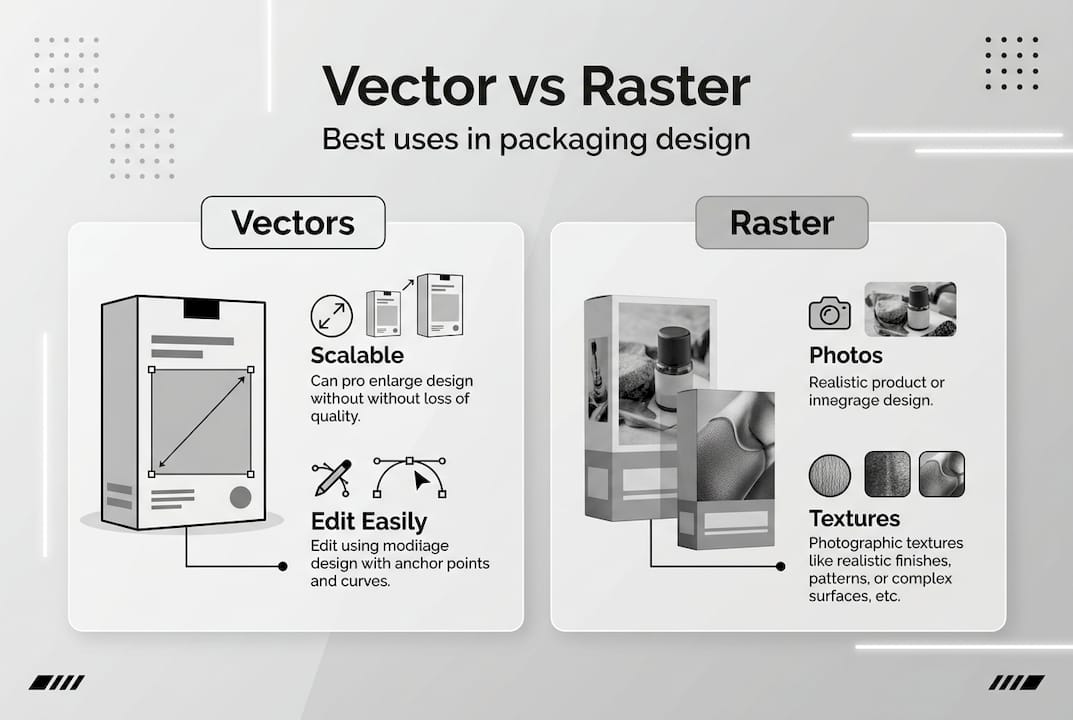
Raster is better for photorealistic elements, textures, and complex gradients while vectors excel in logos and dielines. When you need to show actual product photography or create atmospheric background effects, raster images capture that visual richness better than vectors. The pixel-based nature of raster files allows for subtle color transitions and photographic detail that would be impractical to recreate with mathematical paths.
Most successful CPG packaging uses a hybrid approach. The structural elements, brand marks, and text remain vector for maximum flexibility. Product photos, textural backgrounds, and gradient effects use high-resolution raster images embedded within the vector framework. This combination delivers both technical efficiency and visual impact.
| Aspect | Vector Graphics | Raster Graphics |
|---|---|---|
| Best for | Logos, text, icons, dielines | Photos, textures, gradients |
| Scalability | Infinite | Limited by resolution |
| File size | Smaller | Larger |
| Editing | Non-destructive | Degrades quality |
| Print precision | Sharp at any size | Requires sufficient DPI |
| Complexity | Simple shapes work best | Handles photorealism |
Best practices for combining vector and raster elements include:
- Embed raster images at 300 DPI or higher for print quality
- Keep all structural and branding elements as vectors
- Use raster for product photography and atmospheric effects
- Maintain separate layers for vector and raster content
- Export final files with embedded images for printer compatibility
- Test print proofs to verify raster resolution is sufficient
The decision between vector and raster should align with your design brief requirements and printing methods. Flexographic printing may have different requirements than digital printing. Metallic inks interact differently with vector and raster elements. Understanding these technical considerations helps you choose the right format for each design component.
Your packaging design should leverage each format's strengths. Use vectors where you need precision, scalability, and editability. Use raster where you need photographic realism and complex visual effects. This strategic approach delivers packaging that balances technical requirements with visual appeal, creating designs that print reliably and capture consumer attention on shelf.
Maximizing brand impact and print success with vector graphics
Vector files achieve 96% first-time print approval compared to 42-68% for raster files, a difference that dramatically affects production timelines and costs. When your packaging files require revision and resubmission, you face delayed product launches, rushed shipping to meet retail deadlines, and potential lost sales from stockouts. Vector graphics eliminate most of these problems through technical precision.
The same data shows vector files reduce recreation time by 67%, saving $45-150 per job in production costs. These savings compound across multiple SKUs and product launches. A CPG brand managing 20 products could save $900-3,000 per design cycle simply by using proper vector workflows. Over a year with seasonal updates and new product introductions, those savings become substantial.
Brand consistency delivers measurable business results. Research shows CPG packaging redesigns generate 13-36 percentage point lifts in purchase intent, partly from clear visuals using vectors. When your logo appears identically sharp on every package size and your brand colors match precisely across all touchpoints, consumers develop stronger brand recognition and trust.
Vector files achieve 96% first-time print approval versus 42-68% for raster, reducing recreation time by 67% and costs by avoiding $45-150 fees.
Key benefits of vector graphics for CPG packaging include:
- Reduced production costs from fewer file revisions and corrections
- Faster time to market with higher first-time approval rates
- Consistent brand presentation across all package sizes and formats
- Easier collaboration between designers, brand managers, and printers
- Lower file storage and transfer costs from smaller file sizes
- Simplified version control with single master files serving all sizes
Pro Tip: Always provide vector dielines and logos to your printer for best results.
These advantages create a competitive edge in crowded retail environments. Your packaging reaches store shelves faster, looks more professional, and maintains brand integrity across every consumer touchpoint. The technical superiority of vectors translates directly into business outcomes: lower costs, faster launches, and stronger brand perception.
The workflow efficiency gains extend beyond initial production. When you need to update regulatory information, adjust a tagline, or refresh seasonal messaging, vector files enable quick, clean edits. You avoid the quality degradation that comes from editing raster files, maintaining professional standards across all packaging iterations.
Smart CPG brands treat vector graphics as a strategic asset, not just a technical requirement. The format supports better design briefs, cleaner production workflows, and more impactful packaging designs that drive consumer preference and purchase decisions.
Discover expert vector-friendly packaging design solutions
Offcut connects CPG brands with packaging designers who understand the technical requirements and creative possibilities of vector graphics. Our platform specializes in print-ready packaging concepts that leverage vectors for maximum flexibility and production efficiency. You get exclusive designs optimized for real-world manufacturing, not just pretty mockups that fail in production.
Designers on our platform maintain professional vector workflows, ensuring your packaging files meet printer specifications from day one. This attention to technical detail eliminates the costly revision cycles that plague packaging projects. Brand owners access professional packaging design services at a fraction of traditional agency costs while designers monetize concepts that would otherwise sit unused on hard drives.
Whether you need complete packaging systems or want to refine existing designs, Offcut provides the expertise and resources to execute vector-based packaging that scales across your product line. Explore our designer platform to see how vector graphics enable better packaging outcomes for CPG brands in 2026.
Frequently asked questions about using vector graphics in packaging
What file formats are standard for vector graphics in packaging design?
AI, EPS, and PDF formats are industry standards for vector packaging files. Adobe Illustrator AI files offer full editability, while EPS provides universal compatibility across design software. PDF formats with embedded fonts work well for printer submissions and client reviews.
Can I convert raster images to vector, and is that recommended?
Auto-tracing tools can convert simple raster images to vectors, but results vary significantly based on image complexity. Clean logos with solid colors convert reasonably well, while photographs and gradients produce poor results. Creating native vector artwork always delivers better quality than conversion.
How do vectors help maintain brand consistency across packaging variants?
Vectors ensure your logo, typography, and brand elements render identically across all package sizes from samples to bulk formats. One master vector file serves every variant, eliminating the version control issues and quality inconsistencies that plague raster-based workflows.
What resolution should embedded raster images have when combined with vectors?
Embed raster images at 300 DPI minimum for professional print quality, though 400 DPI provides extra safety margin for large format packaging. Calculate required resolution based on final print size, not screen display. Higher resolution prevents visible pixelation but increases file size.
Can small CPG packaging like sachets benefit as much from vectors as larger formats?
Small packaging formats benefit even more from vectors because maintaining sharp detail at reduced sizes challenges raster images. Vector graphics ensure your brand mark and text remain crisp and legible on tiny sachets while using the same files that serve larger retail boxes. Review effective design briefs to optimize packaging across all sizes.